Check out ThesisAwesome.com and get $20 OFF Product Skin Thesis Skins
How to Build a Perfect Menu Design using CSS and jQuery

How to Build a Perfect Menu Design using CSS and jQuery

by on September 9, 2010 · 27 comments

This week, I decided to pull together a list of my favorite CSS and jQuery tutorials and tutorial showcased from DesignGizer and several other places I get great design articles. This list of design tutorials focuses on menu design using CSS and jQuery to build that perfect menu.

Design News

Now a days, most sites use CSS to build their sites, but it is getting more popular to find jQuery code stuffed into some of the more websites. Websites use CSS and jQuery for so many reasons. But using jQuery is still pretty new. jQuery can for so many different things, but for most its used to to replace what flash could to do in a site. JQuery can also be used to animate something or it can be used do some sort of function in a form.

NOTE: WordPress themes use a mixture of jQuery and CSS in the design.

In my opinion, if you are going to work on a WordPress site or even work on basic HTML / CSS only sites, you need to know how to use both jQuery and CSS. Even if you can not build a program with jQuery or build a bad ass style sheet for a web site, you should at least know how to modify the code for both. There are times when a web administrator or website owner will need to add, remove, or modify code. If you have the basic skills then you won’t have to pay designer a ton of money to make your design changes to your site. By practicing and using tutorials, you can easily become a whiz at CSS and jQuery.

So even if you are not interested building a killer menu for a website or can not do them because you do not have the knowledge of modifing your WordPress Theme, you can always strengthen your knowledge of both CSS and jQuery for future use. As mentioned before, practice makes perfect. Or in our case, it helps us learn more about what CSS and jQuery can do for us.

25 Beautiful Examples of jQuery and CSS Drop-down Menu Tutorials

animated navigation menu

25 Beautiful Examples of jQuery and CSS Drop-down Menu Tutorials

I came across this showcase for menu design over a month ago, and have found these tutorials to come in handy. When creating a site from scratch, I try and create my navigation across the top and style it in a way that is pleasing to the eye. Here you can find twenty-five different ways to do that. These tutorials are straight forward and most offer not only code examples,  but all the files needed to add the menus to your HTML/CSS site. These tutorials use CSS and jQuery to accomplish the menu effects everyone wants on their sites. I would give these tutorials a beginner to advanced beginner rating. The tutorials are not that hard, all you need is a little CSS and jQuery skills to do these tutorials.

1.Create Animated Tabs using JQuery and CSS
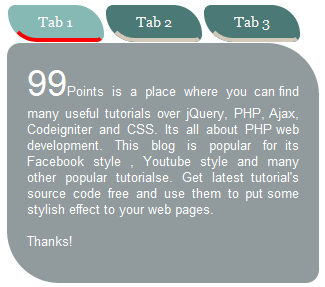
animated tabs menu

Create Animated Tabs using JQuery and CSS

Designing a website with proper navigation is key. But who says its has to be plain and boring! Why not use tabs and style them with jQuery and make them a work of art? I came across this tutorial that uses CSS and jQuery to give your navigation tabs a fancy look.  The author gives you example code for both the CSS and Query. He even offers a download of the complete code and everything that is involved with create of the demo. With the author’s code you can easily make an HTML web page, all you need is basic HTML and CSS skills. If you can build a basic site then you can do this tutorial. But if you want to implement this into your WordPress design, I would say this tutorial would be for very advanced users. You would basically need to know how to design and create your own themes to successfully add this to your site.

2. 20 Must Learn Button Tutorials in jQuery and CSS
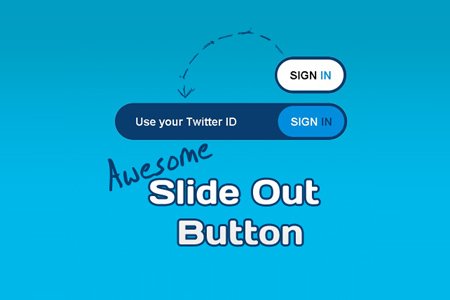
css3 buttons design

20 Must Learn Button Tutorials in jQuery and CSS

Looking to add new navigation buttons your site? I found a list of 20 tutorials you must take a look before diving into the world of navigation button creation and how to beautifully create effects for them. This showcase is all about using jQuery and CSS to add that special effect to your nav buttons. Each and every one of these tutorials will teach you something different. Most of these tutorials will have code examples with an option to download the source files. The tutorials are not all that hard. I would give these tutorials an advanced beginner to advanced users rating. All you need to know how to do is take the example code and put into a website where you want the buttons to work. If you want to add these effects to your WordPress driven site, I would give it a advanced rating with an understanding of theme design and structure.

4. Complete Toolbox: 55 CSS Menu And Button Coding Tutorials

css menu button tutorial

Complete Toolbox: 55 CSS Menu And Button Coding Tutorials

Looking for a something different when it comes to styling a menu bar for your website? Check out this article over at 1stWebDesginer.com. This article also most every style menu you can find on a modern website. Some of these tutorials are even using CSS3. If you are looking to add modern design styles to your site, take a look at some of these tutorials. These tutorials include code example and some even have the files to download, so you can build your own site right off the code. These tutorial are a little harder than some, but if you follow the directions, you should be able to walk through the tutorials and recreate some of these menus. I give this tutorial a advanced user of CSS and jQuery knowledge to complete these tutorials.

This is it!

I hope you will enjoy working on your new killer menu!

Article by James Johnston

spends most of his free time using social media and loves to teach others about design, web development, CSS, SEO, and social media. He is addicted to Wordpress, and social media. You can reach him website, Evolutionary Designs Blog.

Write for us a guest post

{ 23 comments… read them below or add one }

Mark July 7, 2011 at 4:31 pm

Way cool! I have the utmost respect for coders of all languages. I can tweak CSS, but I have no experience with JQuery.

I have been seeing it some in some high end paid Wordpress themes.

They all look and function awesome.

Thanks for this primer, James. It helps make it less intimidating.

Mark
Mark recently posted..The Article Keyword Stuffing PrimerMy Profile

Reply

cory February 27, 2011 at 11:53 am

Hi im just geting into CSS is there a program i can use to write the code?

Reply

Fazal Mayar February 13, 2011 at 4:35 pm

tremendous tutorials James! I’m definitely impressed. Having a great menu design is fundamental.
Fazal Mayar recently posted..Proven Steps To Guest Post On Top BlogsMy Profile

Reply

Brett Widmann January 28, 2011 at 12:48 am

This is a really helpful article. These menus are diverse and equally valuable.
Brett Widmann recently posted..The History and Present State of Domain Names InfographicMy Profile

Reply

Lisa January 10, 2011 at 10:06 am

Cool info about menu design.

Reply

Karan November 8, 2010 at 8:34 am

Well I’m trying really hard to learn CSS and I think this would be a great help understanding rollovers in CSS.
Karan recently posted..SEO- Beware you might be keyword stuffing your blogMy Profile

Reply

Icechen1
Twitter:
September 12, 2010 at 2:25 pm

The Complete Toolbox: 55 CSS Menu And Button Coding Tutorials one looks really great! I don’t really understand it (:(), but hopefully there will be an finished implementation of it in an Wordpress theme.
Icechen1 recently posted..How to sync Web bookmarks 101My Profile

Reply

ZK September 10, 2010 at 9:43 am

Boy these are simply great … I must say.

So attractive and stylish as well.
ZK recently posted..Grab The Ultimate Footer Ad for 37 Only for the Next 36 HoursMy Profile

Reply

element321
Twitter:
September 12, 2010 at 1:05 am

That they are ZK!

I try and only pull the very best tutorials when I can find them!
element321 recently posted..Day one and Two In Kelowna BCMy Profile

Reply

Pumama September 10, 2010 at 8:51 am

So Cool!I will try to build a css menu for me
Pumama recently posted..TechSharing After 1 MonthMy Profile

Reply

element321
Twitter:
September 12, 2010 at 1:03 am

Cool Pumama,

Lets know how you did and how easy you thought they were!
element321 recently posted..Day Three of Vacation in Kelowna BCMy Profile

Reply

Mani Viswanathan September 10, 2010 at 7:50 am

CSS Coupled with jQuery makes an awesome combo. Thanks for compiling some of the super tutorials at one place.
Mani Viswanathan recently posted..Google Earth website gets a new lookMy Profile

Reply

element321
Twitter:
September 12, 2010 at 1:02 am

I agree Mani! They are one of my favorite combos to use when coding a site.
element321 recently posted..Thrusday and Friday of Our Trip to Kelowna BCMy Profile

Reply

Hieu Martin September 10, 2010 at 5:26 am

I have vitisted “25 Beautiful Examples of jQuery and CSS Drop-down Menu Tutorials”. Seem them very beautyful. I really like them. Thanks for the link
Hieu Martin recently posted..How Social Bookmarking Helps You To Improve TrafficMy Profile

Reply

element321
Twitter:
September 12, 2010 at 1:01 am

Your welcome Hieu!

Those are some great tutorials listed there.
element321 recently posted..Thrusday and Friday of Our Trip to Kelowna BCMy Profile

Reply

Colleen September 9, 2010 at 4:50 pm

James, you are out of my league on this one. However, I can tell you are a pro and good at what you do.
Colleen recently posted..Kennewick General Hospital Holding Health & Swellness at Columbia Center MallMy Profile

Reply

element321
Twitter:
September 10, 2010 at 12:58 am

Thanks Colleen,

These can be a bit confusing. They take a little time and practice to get these working. I still have to get help when working on menus. Most of the time I can not get them the way I want them without help…
element321 recently posted..Day one and Two In Kelowna BCMy Profile

Reply

ZK September 10, 2010 at 9:45 am

So whose help you seek …
ZK recently posted..Grab The Ultimate Footer Ad for 37 Only for the Next 36 HoursMy Profile

Reply

element321
Twitter:
September 12, 2010 at 1:00 am

I use variety of trusted contractors, consultants, and friends to get projects completed. It all depends what I or the clients want. I have several clients that requested advanced websites with custom features, where I would pull in a graphic designer, developer to do some custom backend coding, or hire WordPress theme designer. But when I am working on personal, a lot of times, I get help from Hesham. I try not to use to often. I only get help when I 100% certain I can not complete the task on my own.
element321 recently posted..Thrusday and Friday of Our Trip to Kelowna BCMy Profile

Reply

Colleen September 17, 2010 at 5:21 pm

ZK wrote: “So whose help you seek …”

At times, we use the bloggers we subscribe to and regularly visit, fwiw! ;)
Colleen recently posted..Annual 2010 Prosser Wa Balloon RallyMy Profile

Reply

Aaron September 9, 2010 at 3:44 pm

Hey James.. Good resources for some CSS and jQuery fun. There isn’t much you can’t do these days with jQuery and some clever CSS. I found it best to find a tutorial or example online, and then make some changes to make it my own with the feel of my site. Thanks for sharing.. Can’t wait for CSS3 to become mainstream.
Aaron recently posted..blogReaction Introduces Revenue Sharing on Free Blogging PlatformMy Profile

Reply

element321
Twitter:
September 10, 2010 at 1:01 am

Aaron,

I agree and thats why I shared these with everyone. Maybe most can’t really implement them in our WordPress themes but we can at least how jQuery and CSS work on our websites.
element321 recently posted..Day one and Two In Kelowna BCMy Profile

Reply

ZK September 10, 2010 at 9:47 am

That’s why we like you Aaron …

You share your skill with world … not like other people who wants to hide these with themselves only.
ZK recently posted..Grab The Ultimate Footer Ad for 37 Only for the Next 36 HoursMy Profile

Reply

Leave a Comment

  Twitter (ID only. No links or "@" symbols)

CommentLuv badge

This blog uses premium CommentLuv which allows you to put your keywords with your name if you have had 3 approved comments. Use your real name and then @ your keywords (maximum of 3)

{ 4 trackbacks }