HootSuite Review : Best Social Media Management System Ever

- Editor Rating
- Rated 5 stars
- Spectacular
- Hootsuite
- Reviewed by:
- Published on:
- Last modified:
Everything today is about social media. Even if you are not a blogger, and could care less about blogging, chances are you are at least using Facebook and Twitter.
Of course, since you are here reading my HootSuite review, you are most likely a blogger, so you probably have accounts on billion social sites, of which you can’t even remember half.
One of the biggest problems with so many social media sites and accounts is running them efficiently on regular basis, because that is the only way to keep them active and keep attracting new followers, which will them become your blog visitors.
I’ve used a lot of social media management systems and tools since I started a few years ago, and Hoosuite is the one that is keeping me the longest. And you know it is a great one, when I decided to go for the HootSuite PRO version!
What is Hootsuite?
Hootsuite is a social media management system that will let you manage pretty much all of your social profiles from one place. Manage multiple social profiles such as Twitter, Facebook, LinkedIn, and Google+ Pages effectively and efficiently.
There’s a reason why 79 of Fortune Top 100 companies have HootSuite accounts.
Hootsuite’s Awesome features
Hootsuite Social Analytics
 Of course, no tool would be complete without analytics, because testing and tracking your efforts let you decide what to keep and what to ditch. Hootsuite has a lot of analytics options, including integration with Google Analytics. Some of the analytics features will cost you extra, but you can do most, if not all of your tracking, with the free package.
Hootsuite Teams
 This is one of the great features you can use in Hootsuite. You can get all your team in one place and work together. For example, the whole team can see all the scheduled posts on your company’s Facebook fan page so you won’t have posts going out at the same time.
You can also organize your team members and my favorite when it comes to collaboration – you can delegate to team members. So if you have a customer support guy and a lot of the tweets you get are questions about your product, all you have to do is assign the tweets to him for follow up.
Hootsuite RSS Feeds
 I use a handful of RSS feeds that are sent automatically to my social media streams, from blogs I read religiously and trust their content is the best. I always tweet their content.
Learn how to Tweet blog RSS Feeds via HootSuite
This actually creates a constant schedule in my tweeting, so even if I was away for weeks, my accounts would still have activity going on.
Hootsuite Auto Scheduling
 Of course, this is a must have in any social media management system, at least for me. It is a time saver and it also helps with reaching people in different times zones. Hootsuite Pro and Enterprise versions let you upload a file with 50 tweets directly to the tool and this works like a charm because you can reuse all those files over and over again.
Hootsuite Drafts
 Yes, you can even save messages as drafts in Hootsuite and comeback to them latter when you are ready to share.
Great option when you want to scribble a quick message but need to find a link to go with it and are short of time at the moment.
Hootsuite Search streams
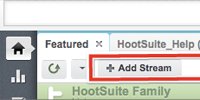 I use these heavily and they are great for building your brand and your social media presence. For example, if you have a blog with recipes you can set a search that will pull up all tweets containing words “dinner”, “breakfast” and “lunch” with a “?” (questions mark) but exclude all the links. That way you will have a stream full of tweets with questions about meals you can reply to and send your recipes as ideas “What’s for dinner” 🙂
Hootsuite File sharing
 You can upload your files and photos directly to Hootsuite and share them via a simple shortened link.
They will be hosted/shortened with ow.ly shortener so you can share them over and over again at time you want.
Hootsuite Shorteners
 Hootsuite actually lets you choose from 4 different shorteners.
Shortened URLs are connected to the Analytics so you can see the click throughs and determine what worked well for you and what didn’t, this helps a lot in adjusting the way you work, and increase your performance.
Stay mobile
 Hootsuite has an app for almost any device, I am using it on iPhone and iPad and the app works without any problem.
Needless to mention that besides apple products, you can get apps for Android, Blackberry and Keitai.
HootSuite Education
 HootSuite University is an online certification program that delivers best-in-class education on HootSuite and social media for all levels of learning, from beginners to industry-leading professionals. Students enjoy continuing access to to video-based courseware, an extensive Lecture Series library of tactical tips from industry thought leaders, a social media jobs board, a weekly #HSUchat, and more! Learn more at learn.hootsuite.com
HootSuite Usability and more…
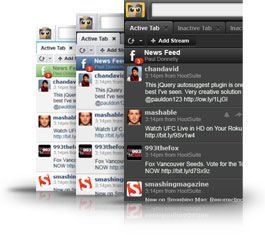 As I mentioned, you can take Hootsuite in your pocket by installing it on your mobile device. Another great thing is that you can use it on your computer from almost any place, there is a Hootlet Chrome extension and a Chrome app, Firefox add on, desktop app for Mac (using this one too, love it).
Also Hootsuite has a fantastic clean looking and easy to use UI, which results to a great user experience. In Addition, you can even switch between three different Hootsuite themes, so that’s Hootsuite the way you like it.
My favorite Hootsuite APPS!
Apps are definitely the main reason I decided to make Hootsuite my social media dashboard. They add so many social networks to Hootsuite, that with all the social sites I am using, I never have to leave Hootsuite for anything. I can do all my posting and scheduling straight from the dashboard.

For example, my dashboard at the moment lets me work on Twitter, Facebook, Tumblr, Youtube, Instagram and LinkedIn, and I am talking multiple accounts on most of these, plus clients’ accounts. Having all that in one place, makes it so much easier to run my own, and other people’s social media campaigns.
Get your Free 30 Day Trial of HootSuite Pro
Another great things is that certain apps will let you directly cross post, so I can go to my Instagram stream and re-post an image and while doing it, choose which of the networks I want to post it to.
Some of the networks, you will install them directly from Hootsuite dashboard, while others, like Instagram and Youtube for example, are installed as apps. Here is how to install an app in Hootsuite:
Direct link to the video: How to install an app in Hootsuite
But what I am using is not even close to all that Hootsuite will let you install. One of the apps I recommend using is SlideShare. SlideShare is a great site to get huge amounts of traffic by uploading slideshows to it, and adding it to your social media dashboard will just make it easier on you.
Another great app is RSS reader, you can import your exported feeds from Google Reader, or add feeds directly. My favorite feature of this app is that ever feed item will have a little share option next to it and you can directly share it through your Hootsuite. Just click it and it will put the title of the post and the link to it in your message editing space, pick the network you want to share it with and hit the button. Done!
I started using this app just recently, and I added my own feeds, so I can RT my posts from time to time the easy way. I go through my feed, hit the share button, schedule it for some times in the future and I got tweets ready to go out all the time.
Some other apps that may interest you are Flickr (sharing photos), Digg (seeing all the top stories and maybe using them for inspiration for your next blog post), Constant Contact and MailChimp (for email marketing) and so on.
Conclusion
Hootsuite is a complete social media management system that I can not recommend enough. It will let you handle so many tasks in one place that you may never need to use another tool. With their app directory constantly growing and Pro package for a very low price, you can not go wrong.
Best thing about it, HootSuite has a Free 30 Day Trial that will allow you try HootSuite Pro account features as well as any of the account upgrades Free for 30 days. Not only can you try the base HootSuite Pro features such as unlimited social profiles and bulk scheduling, but you can manually upgrade your 30 Day Trial account with any of the normally paid add-ons such as adding up to 10 team members or HootSuite University free of charge within the 30 Day Trial period.
Get your Free 30 Day Trial of HootSuite Pro
Note: Please keep in mind that users in trial must manually add the upgrade features they want to try during the 30 Day Trial. Further, users in trial must also manually remove the upgrade features they do not wish to continue using prior to the end of the 30 Day Trial to avoid being charged at the end of the trial.


 How To Choose Your E-Commerce Platform in China
 OptimizePress 2.0 Review: The Future of Internet Marketing Sites
 Use @CrazyEgg to See How Your Visitors Engage with Your Website
 AdClarity Display Media Intelligence: Competitive Intelligence Made Easy
{ 22 Responses }