How To Blog and Start a Business

7 Basic Tips For Designing Your Blog
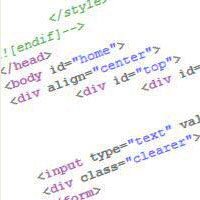
Coding

For those who are at the point that they can create their own web pages, no matter what blog or content management system you use, you will have to become quite familiar with the coding. One of the most common support questions at the WordPress Support forums deal with coding issues. I have managed a lot of questions and skimmed the forums to come to this conclusion. I also hear from other CMS communities the same things.

So here are a few tips:

1. Know what you are working with

If there is a wiki or some type of documentation, read it! There are people who do get by winging it, but it is important that you know what you are designing with or your design will either look wonky or might lack the necessary code to function properly.

2. Brainstorm and implement general structure

This is something that both new sites and older sites can do. It is important to set a structure for the site that can be easily navigated. For visitors, it can be frustrating to try to surf a website that has no way back or leads to a dead end.

3. Make sure to have an adequate 404 error page

This will help your visitors try to find what they are looking for, and if not, maybe see something else more interesting. A lot of blog platforms and CMS have the ability to handle a template for the 404 page. In fact, for WordPress users, Joost de Valk has a Practical Guide to 404 Error Pages: What WordPress is Missing.

4. Spring clean and get rid of those dead links

Google Webmaster Tools can help pinpoint some of those internal links that lead to nowhere.

5. Be aware of your whitespace, but do not be a plain Jane

You need to make sure your site is not too cluttered, but in the same breath, not be so simple. Both ways can hurt a site. Some like simplicity, but it is better to aim for effective functionality and a tasteful design. Remember, there are millions of websites out there so why not put a little effort to make your site stand out more than the next site in your niche.

6. HTML or and other markup languages

You do not have to be perfect at coding a web page in HTML or any other markup language, but at least be aware of basic web standards. If you are not familiar with web standards, you might want to go to World Wide Consortium (W3C) and familiarize yourself on what you can implement on your site to make it comply better. For those who truly want to make sure their sites are compliant by W3C’s standards, they have several validation forms to help.

7. Be creative and have fun

Your website is like a business card with more ways for people to find out what you can do. Your design is just one part of several that you can play with. If you do not design, let your web designer know what you want and work with them to create a site you can proudly share with the world.

Do you have any tips you would like to add?

This post is part of our Guest Blogging contest, if you like it then why not sharing it with your friends by retweeting it? this will give credits to the author and a better chance to win one of our awesome prizes.  By the way.. you also can participate in our contest, it’s not late!

Sassy blonde mom from Southern Illinois who is a Professional Blogger, AND a WordPress web designer and developer. Nile loves to help others rock out their blogs and social media handles. If it was not already apparent, she is addicted to WordPress, Blogging, Social Media, and in general, anything about the Internet. It is not uncommon to see her speak at WordCamps (WordPress conferences) and blogging conferences across the United States. Her website is Blondish.net.

Website → Blondish.net

GET FREE EMAIL UPDATES

Get our latest articles delivered to your email inbox, plus download our FREE 15 minutes later marketing guide.

We respect your privacy!

{ 50 comments… add one }

  • Andreas Pazer February 11, 2012 at 11:40 am

    One of the most important aspects of your web log is, of course, your blog design. You should have something that is easy to navigate while still being interesting and looking clean. If you currently have a blog layout that is hard to use, should you change it up or is doing it risky?

    Reply edit
  • mohit April 20, 2011 at 6:16 am

    Design is Important and so do the SEO work. I liked the post as it explained all basic fact of designing and getting success. Thanks, i got to know some of mistakes i was doing regularly.

    Reply edit
  • Pritam October 2, 2010 at 1:13 am

    Yes, very true. The first impression to a visitors is only its look and design. No matter what great contents are, but if the design is poor, people like to avoid this.
    There are some of points missing with me like 404 error and W3C standard. I will try to implement that in my blog.
    Really nice Article.
    Pritam recently posted..How to join Commission JunctionMy Profile

    Reply edit
  • Pooja from Denver Website Designs July 14, 2010 at 11:13 am

    I have seen many website designs in many renowned websites where “dead links” come up for some products or pages….Many websites, specially the bigger online stores don’t care too much about the past product pages in their websites and leave them as they were early on….I”ll keep it in mind that I don’t have dead ends in my website….:)

    Reply edit
  • Chris - 53 Year Old June 5, 2010 at 3:04 am

    I’m more concerned about converting my traffic to leads, than what my site looks like. The most important thing for you to have on your site (assuming the goal of maintaining a site is for it to be profitable) is to have some way to capture the traffic you get and convert it to something useful for you to follow up on, namely a name and phone number, or email address. It should be the first thing your visitor sees when he/she enters your site… a big button saying they need to sign up for the free newsletter, or what have you.
    Chris – 53 Year Old recently posted..Rapid Rewriter ReviewMy Profile

    Reply edit
  • Asad from blogger templates April 28, 2010 at 5:48 am

    Blog design is the base of your blog.As first impression is the last impression,therefore,you have to work hard on your blog design.Your blog design should be according to the niche of your blog.
    .-= NEW from Asad @ blogger templates´s last blog ..Blogger Template | iTheme Techno =-.

    Reply edit
  • Brendan from Online Marketing Consultant April 18, 2010 at 8:55 pm

    I also find that it is important to know your websites analytics before redesigning your site because then you know all the details you need to know about your visitor and what they see. I also use a service called crazy egg to see where my visitors are clicking and most interested in. this helps tremendously in the redesign of any blog. Good luck with your future redesigns. And use Thesis!
    .-= NEW from Brendan @ Online Marketing Consultant´s last blog ..StumbleUpon Advertising: Worth It? =-.

    Reply edit
    • Nile Flores April 18, 2010 at 9:28 pm

      You do not have to use the Thesis framework to make a good site. I do not unless any of my design clients buy it and want me to develop with it. There are a lot of tools for any level of WordPress user to optimize your site. If you have read up on Joost de Valk’s articles, he is a great person to learn from.

      Lijit is a great resource that is free and adaptable with WordPress (one of the guys has spoken at a few WordCamps in the past. Saw him at WordCamp Chicago last year….Micah Baldwin, same guy who founded #FollowFriday.)

      Crazy Egg is nice, but not so hot for the price when you can find a lot of other free resources that can do the job.
      .-= NEW from Nile Flores´s last blog ..Using Local SEO To Get Targeted Traffic =-.

      Reply edit
    • Hesham April 19, 2010 at 12:31 am

      Hey Brendan,
      I am giving a try to crazy egg on this blog for the first month, still didn’t get the full picture as I think I need more time to collect useful information about visitors behavior on the blog!

      One thing I want to tell.. crazy egg not working good with Wibiya toolbar, the tool bar is in the middle of the captured shot for the blog all the time, even when I deactivated before taking a new shot, it pop up again and annoy me, so if you are using crazy egg then I suggest you don’t have to install Wibiya toolbar!

      Reply edit
      • Brendan from Online Marketing Consultant April 19, 2010 at 12:47 am

        “crazy egg not working good with Wibiya toolbar, the tool bar is in the middle of the captured shot for the blog all the time, even when I deactivated before taking a new shot, it pop up again and annoy me, so if you are using crazy egg then I suggest you don’t have to install Wibiya toolbar!”

        I could see how that would be an issue. There is no way for crazy egg’s software judge how far down someone has scrolled on the page. Not really sure if any heatmap service could. Let me know if you find one.
        .-= NEW from Brendan @ Online Marketing Consultant´s last blog ..StumbleUpon Advertising: Worth It? =-.

        Reply edit
        • Hesham April 19, 2010 at 1:09 am

          This can be understandable by the 2 ways (crazy egg not working good with Wibiya toolbar OR Wibiya is not working well with crazy egg).. the thing is you should choose by priority! for me (I think) I will choose CrazyEgg at the end and I will disable the toolbar if I have to!

          Maybe I will publish a post about this when I have enough time to show you exactly what I mean by a screen shot!

          Reply edit
  • Revka April 7, 2010 at 6:56 am

    Great tips, thanks for sharing.

    I use the Broken Link Checker WordPress plugin to stay on top of my broken links. You know exactly what links are broken and you can easily fix them.

    Reply edit
    • Nile Flores April 18, 2010 at 9:24 pm

      I am not much for plugins. There is a lot of convenience in them. I recommend when you are not using the plugin to deactivate it for less data resource usage.
      .-= NEW from Nile Flores´s last blog ..Using Local SEO To Get Targeted Traffic =-.

      Reply edit
      • Revka April 19, 2010 at 5:59 am

        Nile, I certainly agree with you regarding only keeping active plugins that you are actually using. I’d take it a step farther and advise that you delete any plugin that you are not using. You can always reinstall it later.

        I do not recommend installing plugins just for kicks as the number of plugins you have impacts your site’s loading and response times.

        Having said that, plugins are fantastic for adding functions to your blog that are not built into the basic platform.
        .-= NEW from Revka@custom blog design´s last blog ..Blogging Basics: Etiquette (Part 2) =-.

        Reply edit
  • mk akan March 8, 2010 at 7:17 am

    great tips..i need to work on my 404 page…thanks
    .-= mk akan´s last blog ..65 Lessons about Blogging learnt In the Last 3 Months =-.

    Reply edit
  • Rohit from Tech Stuff March 8, 2010 at 7:01 am

    I have seen people designing the website very well but as the website gets older, they try to fit in so many elements into it that it becomes cluttered. I think it should be kept in mind and not to screw up the website as it goes older!
    .-= Rohit @ Tech Stuff´s last blog ..LG Cookie pep: The Complete Review =-.

    Reply edit
  • Dennis Edell March 7, 2010 at 1:24 pm

    Nile man, where you at when I visit those forums?!?!? lol

    I do not mean to talk down, but some “helpers” there, well…..
    .-= Dennis Edell´s last blog ..$100 – 10 Winners – Comment Contest! ‘Till Months End… =-.

    Reply edit
    • Nile Flores March 8, 2010 at 5:00 am

      Some of the helpers there butt into the threads and do not know what they are talking about. There are a couple that use the place as grounds for making their own content and I have caught my own advice pilfered and slapped on another’s blog. It was really annoying because some of my advice is not something others know.

      When I am at the support forums, I am usually around the Troubleshootings and getting started. A lot of the advice is repeats, but I really know that I can help others and sometimes I even learn some things too! :)
      .-= Nile Flores´s last blog ..Blogging 101: Finding the Right Words =-.

      Reply edit
      • Dennis Edell March 8, 2010 at 10:19 am

        Unfortunately, as with all “open” support forums, unless we know names ahead of time (like now I know yours), it’s “ask at your own risk”.

        Thanks. :)
        .-= Dennis Edell´s last blog ..$100 – 10 Winners – Comment Contest! ‘Till Months End… =-.

        Reply edit
  • Gautam Hans March 6, 2010 at 4:44 pm

    I think a user friendly website is always likeable and I think removing dead links is important as they can put off your readers and which can be very harmful to your traffic
    .-= Gautam Hans´s last blog ..Mixing the Right Ingredients =-.

    Reply edit
    • Dennis Edell March 7, 2010 at 1:18 pm

      There are 1-2 really useful plugins that make link finding/removal a breeze.
      .-= Dennis Edell´s last blog ..$100 – 10 Winners – Comment Contest! ‘Till Months End… =-.

      Reply edit
    • Nile Flores March 8, 2010 at 5:08 am

      I remember when I removed some of my content and moved it to another site when I re-focused Blondish.net. I ended up with some dead links. The Google Webmaster Tools helped me fix the problems. From Dennis and others, there are plugins available to make it easier.
      .-= Nile Flores´s last blog ..Blogging 101: Finding the Right Words =-.

      Reply edit
      • Dennis Edell March 8, 2010 at 10:23 am

        This is something I’m really going to have to keep an eye on, I recently moved one entire blog to another.
        .-= Dennis Edell´s last blog ..$100 – 10 Winners – Comment Contest! ‘Till Months End… =-.

        Reply edit
  • chandan from work at home jobs March 6, 2010 at 6:19 am

    You have mentioned some nice point on blog designing, good designed blog attract more visitors, When we expect traffic from social media like stumbleupon then one attractive design template is very much important.
    .-= chandan@work at home jobs´s last blog ..Few quality link can help you for get rank on search engine =-.

    Reply edit
    • Nile Flores March 8, 2010 at 5:03 am

      Yes. I use to talk to a lot of people who were strict in W3 standards and they only believe in having very simple sites. Today, those people, despite the fact they have a site have really lost out on obtaining more traffic because of their stubbornness to accept they were wrong. You can use good web standards and a nice eye catching design! :)
      .-= Nile Flores´s last blog ..Blogging 101: Finding the Right Words =-.

      Reply edit
  • Kawsar Ali March 5, 2010 at 6:10 pm

    Useful post. I agree with your tips. Design is a very important element of a website
    .-= Kawsar Ali´s last blog ..Converting Wooden PSD Template to HTML =-.

    Reply edit
  • Jesse from soLinkable March 5, 2010 at 3:49 pm

    Love the tips regarding 404 pages. You’d be amazed at how many people stumble across them, either by bad links or poor typing. By offering a helping hand you really lower the chance of them bouncing.

    I’ve been meaning to fix up my 404 page for sometime… I’ll probably just put it off for another few months, but thanks for the reminder!
    .-= Jesse@soLinkable´s last blog ..Ubisoft’s Uber DRM Cracked Within a Day =-.

    Reply edit
  • Gerald Weber March 5, 2010 at 3:46 pm

    The custom 404 page is often over looked, especially for new website owners.

    Regarding #4, Google webmaster tools is great for finding broken links, there is also a nifty Wordpress plugin,Broken link checker This makes it easy to detect and manage the broken links.

    Reply edit
    • Nile Flores March 5, 2010 at 4:03 pm

      As a reminder from a developer and web host standpoint, if you already have a lot of plugins, you may not want to bring aboard another. As I have said to others, your webhost does not inform you of how much data resources they allot. You can purchase enough disk space and bandwidth, but your data resources always are limited to keep from running the CPU into the ground.

      As a prominent user of the WordPress community, I do not recommend plugins as the sole solution, especially for the reason stated above.

      Reply edit
      • Hesham March 5, 2010 at 5:38 pm

        By the way, I am installing the Broken link checker plugin on our blog here, but I deactivated and activated when looking for broken links only, as I am not sure how resource heavy it is :)
        .-= Hesham´s last blog ..My impressions about Gust Blogging contest =-.

        Reply edit
        • Nile Flores March 5, 2010 at 10:53 pm

          I do not think it will be too much of a problem. I did not check out what plugins you are using because I have no access to be able to see them. However, if you would like me to take a look at what you have, just send me a list of what you have installed. I am used to people sending me what they have installed and because I have been web hosting since 2005, I can give insight on how much processes are being used.

          By the way, you should actually remove the plugin entirely rather than leave it stagnant because you never known when anyone can find a loophole in the WordPress system by going through a plugin.
          .-= Nile Flores´s last blog ..Are You Tagging Properly? =-.

          Reply edit
  • Robyn from Sam's Web Guide - Web Tutorials & Tech News March 5, 2010 at 2:44 pm

    Great post Nile,

    It has become much easier in this day and age for the average person to launch out online, especially with systems like Wordpress. However, if a blogger wants to customize they will need to learn a little code if they want to do it for themselves. I’m on the lookout for systems that will completely eliminate the need for extra coding and offers full customization through a GUI. I think we’re not very far from that.

    I’ve found that while designing a web page, by keeping usability in mind, I create the best designs and not just focus on look.
    .-= Robyn@Sam’s Web Guide – Web Tutorials & Tech News´s last blog ..Bloggers are now eligible for Press Passes in New York =-.

    Reply edit
    • Nile Flores March 5, 2010 at 3:18 pm

      WordPress offered install theme installations, however… there will be those who want to change graphics and CSS for colors. Unless theme designers start digging in an doing things like changeable layouts it is a possibility, but right now, I know the header features is one that has been worked on.

      I know from being on the UI list at WordPress that they are open to a lot of options.
      .-= Nile Flores´s last blog ..Blogging And Plants – What’s The Connection? =-.

      Reply edit
  • Jack from Online Marketing Blog March 5, 2010 at 2:42 pm

    Nice tips! IT’s always nice to have breadcrumb navigation or some kind of page structure to show your readers how many pages deep they are from the homepage.
    .-= Jack@Online Marketing Blog´s last blog ..4 Wordpress Plugins To Help Moderate Comments =-.

    Reply edit
  • element321 March 5, 2010 at 2:30 pm

    All great tips, I try and follow these steps every time I create a new site. I tend to forget about the 404 pages. One of my goals to figure out a better way to maintain and create these 404 pages and make them helpful to the readers.
    .-= element321´s last blog ..Daily Delicious Links March 4th =-.

    Reply edit
    • Nile Flores March 5, 2010 at 3:14 pm

      Along with just forgetting, I think a lot of people have 404 pages and do not know how to harness its power. A lot of people when they visit a site and happen to be directed to the page will sometimes think they did something wrong. They may not even come back because 1, the site was not working for them and directing them to a ‘page not found’, or 2, they just do not find anything that will keep them on the site.
      .-= Nile Flores´s last blog ..Blogging And Plants – What’s The Connection? =-.

      Reply edit

Leave a Comment

CommentLuv badge
This blog uses premium CommentLuv which allows you to put your keywords with your name if you have had 3 approved comments. Use your real name and then @ your keywords (maximum of 3)